

All You Need To Know About Sharp TV Warranties
Sharp is a brand name for TVs sold in the U.S. For several years, the Chinese manufacturer Hisense produced the Sharp TVs, but Sharp regained its license in 2019. This means that, now, you can find the television sets produced by Sharp.
All Sharp TV’s are protected by the manufacturer warranty. If you experience any issues with your Sharp TV, learn how to file a warranty claim.
What Does Sharp TV Warranty Cover?
Sharp TV warranty covers any defects in materials or workmanship. Check out the warranty periods for Sharp TV products:
| Product | Warranty Period |
| LCD or LED TV | One year |
| 3D Glasses and Remote Control | 90 days |
The warranty does not refer to damages caused by:
- Abuse, negligence, or accident
- Improper installation
- Normal wear and tear
- Liquid spillage
- Repairs done by the unauthorized services
You should keep the receipt and the original packaging if you want to be able to file a warranty claim.
Ways To Submit a Sharp TV Warranty Claim
If your Sharp TV is not functioning properly, you can file a warranty claim in the following ways:
| Can You Claim Your Warranty Via | Yes/No |
| DoNotPay | Yes |
| Yes | |
| Phone | Yes |
| Letter | No |
| In Person | No |
Claim Your Sharp TV Warranty Over the Phone
Sharp TV allows you to file a warranty claim by calling the company’s customer service. Here is what you need to do:
- Call 1-888-935-8880
- Provide the details about your Sharp TV model
- Explain what issues you are experiencing with your TV
- Ask for a repair
This way of claiming your Sharp TV warranty takes a lot of patience because you might end up waiting on the line for a while.
How To Submit a Sharp TV Warranty Claim via Email
Another way to claim your Sharp TV warranty is by sending an email to support@sharptvusa.com. Make sure you include the information regarding your TV model and the problem you have.
Note that it might take a while to get a response.
DoNotPay Helps You File a Sharp TV Warranty Claim Without a Hitch
With DoNotPay, you won’t need to waste time calling Sharp TV’s customer service. Our app allows you to submit a Sharp TV warranty claim in a few easy steps:
- Set up your DoNotPay account in any
- Choose the Claim Warranty option
- Select Warranty on a Purchased Item
- Provide the details about the issue you’re experiencing with your Sharp TV
- Click on Submit
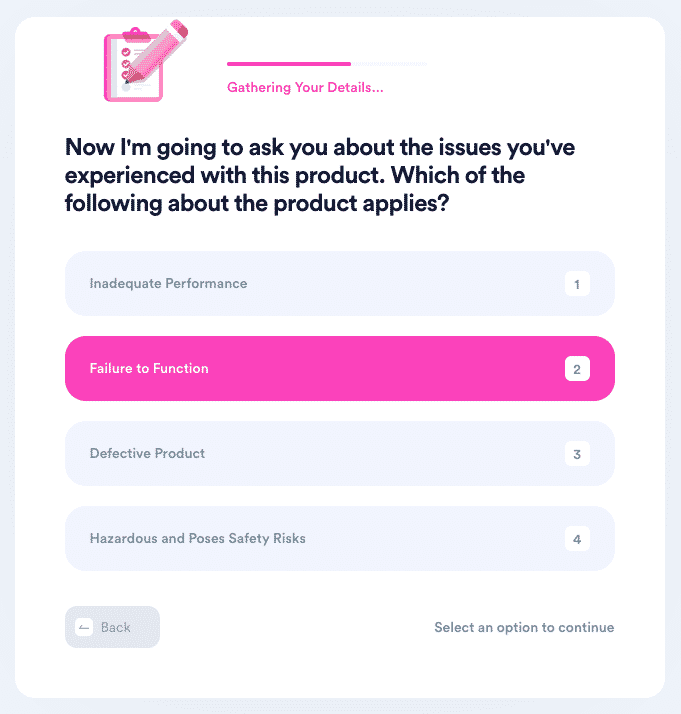
We’ll write a claim letter using the info you provide and send it to Sharp TV. The company should get in touch with you directly with more information on further steps.
Did Your Sharp TV Warranty Claim Get Rejected? Use DoNotPay To Appeal the Decision
Companies often reject warranty claims because they don’t want to waste money on repairs. If you think you’ve been wronged by Sharp TV rejecting your warranty claim, you can appeal via DoNotPay.
We care about your consumer rights, and we’re here to help you claim them. We can generate a strong appeal letter by relying on the implied U.S. warranty laws and the information you give us. All you need to do is:
- Open DoNotPay in any
- Select Claim Warranty
- Choose Appeal a Denied Warranty Claim
- Give us a few details about your original warranty claim
- Tap Submit
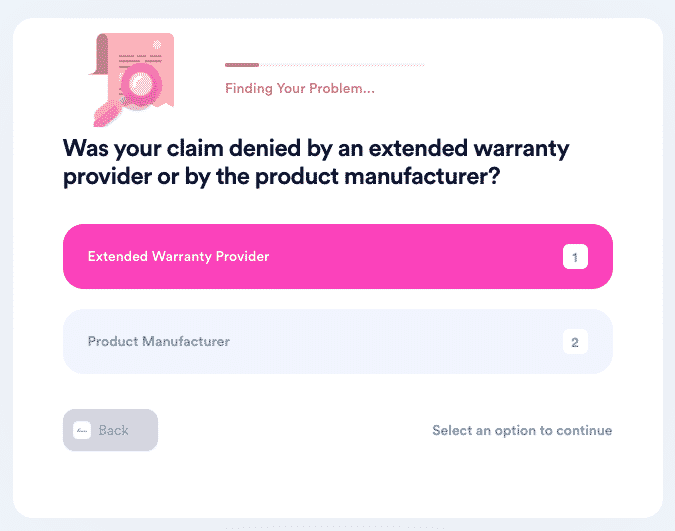
As soon as you complete these steps, we’ll write the letter and send it to Sharp TV. You will hear the result of your case from the company directly.
DoNotPay Deals With Administration in Your Stead
DoNotPay is an expert when it comes to claiming other types of warranties too. If your home or car needs a repair, use DoNotPay to file a warranty claim!
Our home warranty reviews can assist you in your search for the leading home warranties in America.
If you need extra protection for your car, check out our guide on extended warranties for used cars. We can also help you handle dealers who refuse to cancel your extended warranty.
Use any to access DoNotPay and enjoy the benefits of our other options, such as:
- Skipping phone verification when registering at any platform
- Unsubscribing from any service
- Cutting on the waiting time when getting in touch with any customer service
- Protecting your original work from copyright infringement
- Submitting insurance claims in no time
- Receiving compensation and refunds when your flight gets delayed or canceled
- Disputing speeding tickets
- Making refund requests with ease
- Getting back at robocalls
- Appealing parking tickets
- Setting up a DMV appointment in minutes
- Handling your huge bills
- Reaching out to your relatives and friends in jail
- Solving credit card issues in no time
- Requesting college application fee waivers fast
- Ending text spam
- Applying for different clinical trials
- Signing up for trials without worrying about charges
- Finding unclaimed assets under your name in any state
- Protecting yourself when experiencing harassment or stalking
- Filing other warranty claims
- Preparing for government tests
- Disputing traffic tickets
- Filing small claims lawsuits against anyone without much paperwork
- Putting an end to email spam
 AI that fights for you