

An Easy Way To Claim HomeGuard Home Warranty
HomeGuard Home Warranty is a home warranty provider based in California. It offers full service for all covered home systems and appliances, regardless of their age, make, or model. The company provides home warranties for only two states in the U.S.—Arizona and California, so its service area is quite limited.
HomeGuard Home Warranty Coverage
HomeGuard offers three levels of coverage:
- Standard
- Advantage
- Total Protection
These contracts last for a full year after the 30-day wait period, amounting to 13 months of protection. This is what they cover:
| Coverage | Standard Plan | Advantage Plan | Total Protection Plan |
| Dishwasher | ✔ | ✔ | ✔ |
| Garbage disposal | ✔ | ✔ | ✔ |
| Instant hot water dispenser | ✔ | ✔ | ✔ |
| Heating system | ✔ | ✔ | ✔ |
| Plumbing system and stoppages | ✔ | ✔ | ✔ |
| Electrical system | ✔ | ✔ | ✔ |
| Carbon monoxide detectors | ✔ | ✔ | |
| Mismatched systems | ✔ | ✔ | |
| Lack of maintenance | ✔ | ✔ | |
| General disposal | ✔ | ✔ | |
| Ice makers | ✔ | ✔ | |
| Zone control coverage | ✔ | ||
| Water heater | ✔ | ||
| Total plumbing coverage | ✔ |
How To File a HomeGuard Home Warranty Claim on Your Own
You can file a warranty claim by yourself using several different methods. Most companies offer a few ways to claim warranties, but the process usually takes forever, so you can always opt for an easier option—DoNotPay.
| Can You Claim a Warranty With | Yes/No |
| DoNotPay | Yes |
| No | |
| Phone | Yes |
| Letter | No |
| In Person | No |
| HomeGuard Home Warranty Website | Yes |
Filing a HomeGuard Home Warranty Claim via Phone
To file your warranty claim via phone, call 1-866-993-2302, and explain your request to customer service agents.
Filing a HomeGuard Home Warranty Claim Online
If you wish to file your claim online, you can do so by visiting the company website and filling out the form with all the necessary information. Once you do that, a company representative will respond to your request via email.
File a HomeGuard Warranty Claim Using DoNotPay
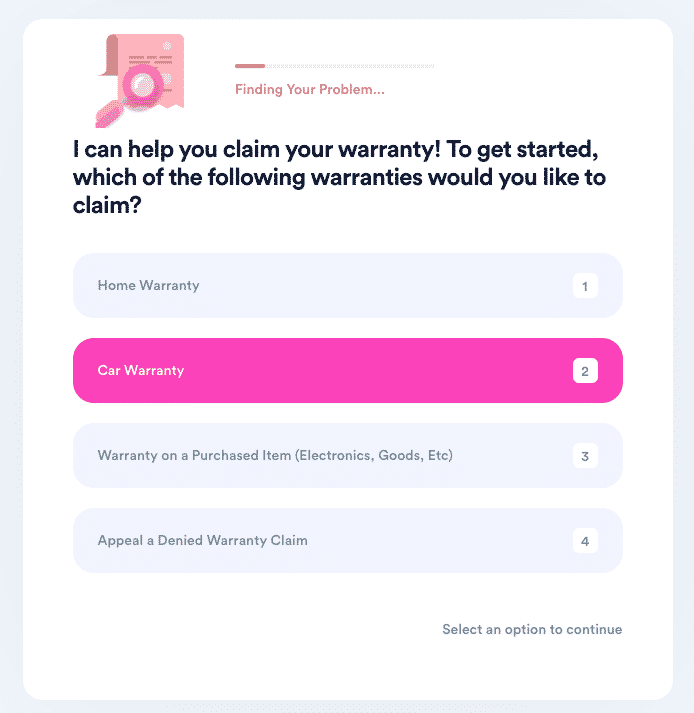
DoNotPay’s user-friendly features are the best way to alleviate the tiring processes of filing and appealing warranty claims. The app can help you claim a warranty for used cars or deal with a company refusing to cancel your extended warranty. The Claim Warranty feature lets you claim any warranty for your car, home, or other purchases.
This is how you can claim your HomeGuard home warranty:
- Access DoNotPay from any
- Navigate to the Claim Warranty feature
- Click on Home Warranty
- Provide the information needed
- Hit Submit My Claim
Once you complete these simple steps, DoNotPay will do the rest. We will file the claim immediately, and HomeGuard customer reps should contact you as soon as possible.
DoNotPay Will Help You Appeal a Denied Warranty Claim
Companies often reject warranty claims, so you may need to appeal the decision. Luckily, DoNotPay can help with that!
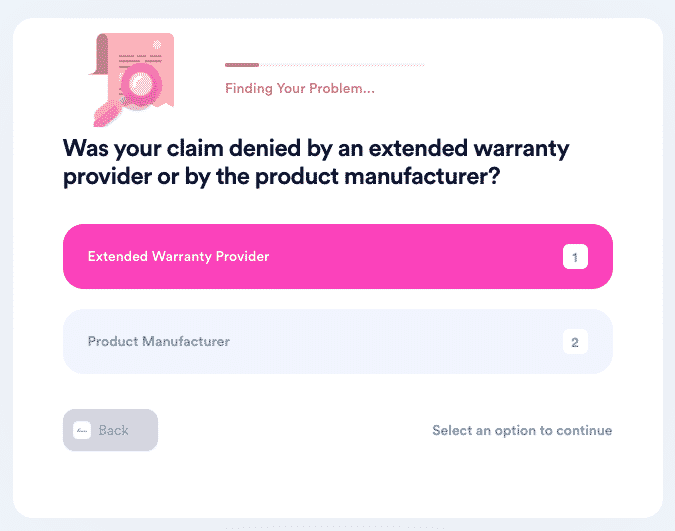
The steps to filing an appeal are as simple as it gets! This is how it works:
- Open DoNotPay in your
- Choose the Claim Warranty feature
- Select the Appeal a Denied Warranty Claim option
- Clarify whether it’s an extended warranty provider or a product manufacturer
- Add the details about the company and the warranty claim
DoNotPay will submit the appeal letter on your behalf, and the response from HomeGuard reps should be prompt.
Send Demand Letters To HomeGuard With DoNotPay
It’s possible that HomeGuard Home Warranty—or some other company—won’t provide you with the help you need, and even though you tried everything you could think of, the company won’t budge.
In such cases, the best solution is to resort to DoNotPay to help you send demand letters to them. We make it super easy and convenient to send demand letters to companies and people in small claims court. All you need to do is open our app and use the world’s first AI Consumer Champion to fight back against bureaucracy and injustice.
What Else Can DoNotPay Help You With?
There are many DoNotPay’s features you can use to manage mundane chores! Home warranty reviews and the best home warranties in America are only some of the things you can look up on our website. If you need to deal with other companies such as , , or , we can assist you in that too. Open DoNotPay in your and get help with:
- Stopping text spam
- Jumping the phone queue when trying to contact customer service reps
- Contesting parking tickets
- Waiving college application fees
- Signing up for services with no phone verification
- Dealing with credit card issues
- Protecting your work against copyright charges
- Making a DMV appointment fast and easy
- Protecting yourself from harassment and stalking
- Getting refunds from people and companies
- Dealing with bills you cannot pay on your own
- Canceling subscriptions or memberships
- Fighting speeding tickets
- Suing people and companies in small claims court
- Applying for clinical trials
- Getting refunds or compensation for canceled and delayed flights
- Getting sweet revenge on robocalls
- Freeing yourself from spam mail forever
- Filing a claim for any type of warranty
- Contacting your incarcerated loved ones
- Disputing traffic tickets
- Signing up for free trials with zero risk involved
- Finding any unclaimed funds under your name
 AI that fights for you