

Enough Monkeying Around—Time to Cancel Mailchimp
Mailchimp is an email marketing service and marketing automation platform. It has millions of subscribers that use the platform to market their business through multiple channels. Due to recent changes, prices have gone up, and users are looking for ways to cancel the service.
Cancel Mailchimp On Your Own
You can close your account by going on the website and logging into your account. From there, you have to:
- Go to your profile name > Account panel > Account
- In the Settings drop-down menu, choose Pause or delete account
- Click on Permanently delete this account
- Complete the exit survey and type in your password when prompted
- Press Permanently Delete
- To confirm account deletion, type in DELETE in all caps
Mailchimp will display a message to confirm that your account is canceled.
Here are the different ways you can cancel.
|
Can You Cancel With |
Yes/No |
|
| No |
| Letter |
No |
|
In-person | No |
| Phone |
No |
|
Website | Yes |
| DoNotPay |
Yes |
Can You Pause Your Mailchimp Account?
Let’s say you need to take a break and not send campaigns for a certain time. Mailchimp allows you to pause your account and billing. Here’s how you do it:
- Log in to your account
- Go to Account > Pause or delete account
- Choose Temporarily pause billing on this account
- Click on Pause Account
- Type in PAUSE when prompted and confirm
Sending functionalities are unavailable when you pause your account, but you can still edit and improve your campaigns as you please. Keep in mind that you can only pause your account twice a year. When you want to unpause it, you’ll have to pay for a new plan.
Find It Difficult to Cancel Mailchimp? Let DoNotPay Handle It
Canceling services like Mailchimp is much simpler with DoNotPay’s app. It only takes a few minutes and guarantees that you won’t be billed by Mailchimp again. Here’s a handy guide to help you cancel:
- Open the app in your
- Go to the Find Hidden Money tab on the left side of the app
- Fill in the text box with the name of the service you wish to cancel
Confirm, and DoNotPay will do the rest. You’ll be notified once the cancelation is complete, and you won’t have to worry about being billed by Mailchimp.
Check Out a Few Alternatives to Mailchimp
Mailchimp isn’t the only marketing platform out there. You can choose from a wide variety of alternatives if you don’t wish to do business with Mailchimp.
Consider these examples.
|
Company | Pricing |
Benefits |
| $20 per month |
| |
|
Free Premium—$25 per month |
| |
|
Free when your mailing list has fewer than 100 contacts Premium—$19 per month |
|
DoNotPay Can Handle Your Other Subscriptions
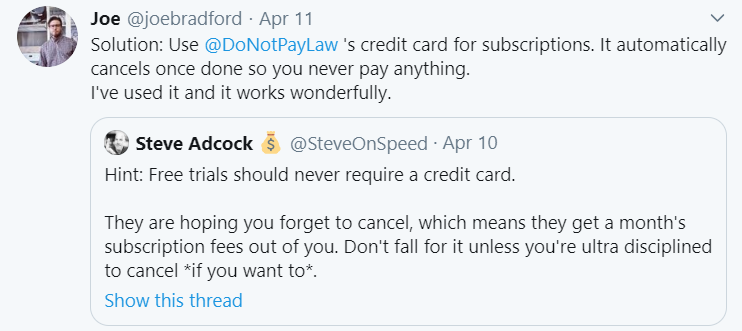
Americans spend around $348 every year on unused subscriptions. It’s money thrown down the drain. It’s easy to subscribe to a service and then forget about it, especially when it’s not particularly expensive. It’s one of the reasons people use DoNotPay’s subscription tracking service.
Our app can help you detect all of your active subscriptions and make it easier for you to cancel them. Just connect the app to your email or bank account and let it take a look at your memberships and subscriptions. You can then choose which ones to cancel and take care of the problem in minutes. You won’t have to think about your subscriptions anymore, as long as you let DoNotPay monitor them.
DoNotPay Offers a Helping Hand in Day-to-Day Tasks

Taking care of unwanted subscriptions is just one of the things DoNotPay does well. We also help users with a variety of day-to-day problems. Want to learn how to fight back against robocallers? It’s a lot easier with DoNotPay’s help. We can also help you save money on bills. If you aren’t sure how to stop cyber stalkers, we’ve got your back.
If you need help with any of these things, open DoNotPay in your .
Once you have the app, see if DoNotPay can help you simplify any of these tasks:
- Dealing with issues with credit cards
- Fighting speeding tickets
- Getting revenge on robocalls
- Suing people and companies in small claims court
- Scheduling a DMV appointment fast and easy
- Getting refunds for delayed or canceled flights
- Canceling other subscriptions or memberships
- Disputing traffic tickets
- Jumping the phone queue when getting in touch with customer service reps
- Contesting parking tickets
- Freeing yourself from spam mail forever
- Signing up for free trials risk-free
- Dealing with bills you are unable to pay
- Protecting yourself from stalking and harassment
- Getting refunds from any company
 AI that fights for you